How to Create a Prompt in Girofeeds to Add GPSR to Your Products
Use AI processing to add GPSR information across your catalog in minutes.
Steps
Have your GPSR data ready
The GPSR (General Product Safety Regulation) requires, among others: the EU responsible person’s details (name, postal and email address), product and manufacturer identification, and safety warnings and instructions. Gather this information first: Girofeeds propagates and formats it at scale, but you provide the legal data.
Open your catalog and "AI Processing"
Enter your Girofeeds catalog. At the top you’ll see the AI Processing block with the "Describe what you want to do" field. That’s where you’ll write the prompt.
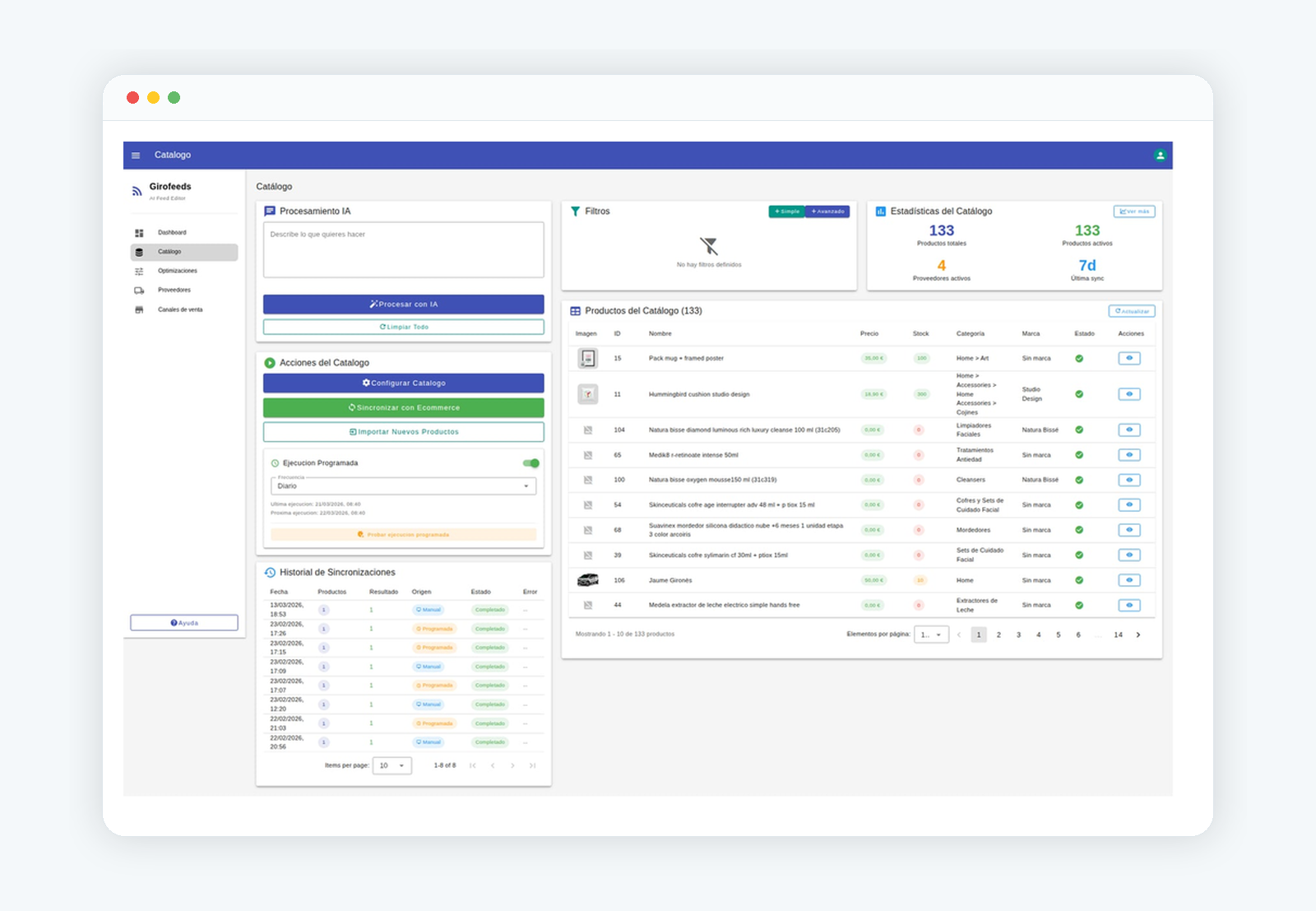
Write the prompt to add GPSR
Describe in natural language which GPSR data you want to add and to which products. You can scope by category, brand or supplier. The more specific you are (which field, which value, which products), the better the result.
Filter the affected products (optional)
If you only want to apply it to part of the catalog (e.g. a specific category or supplier), use the catalog filters before processing so the prompt only acts on those products.
Process and review the preview (before/after)
Click "Process with AI". Girofeeds shows the proposed changes comparing the original data with the data pending sync. Review them product by product before applying.
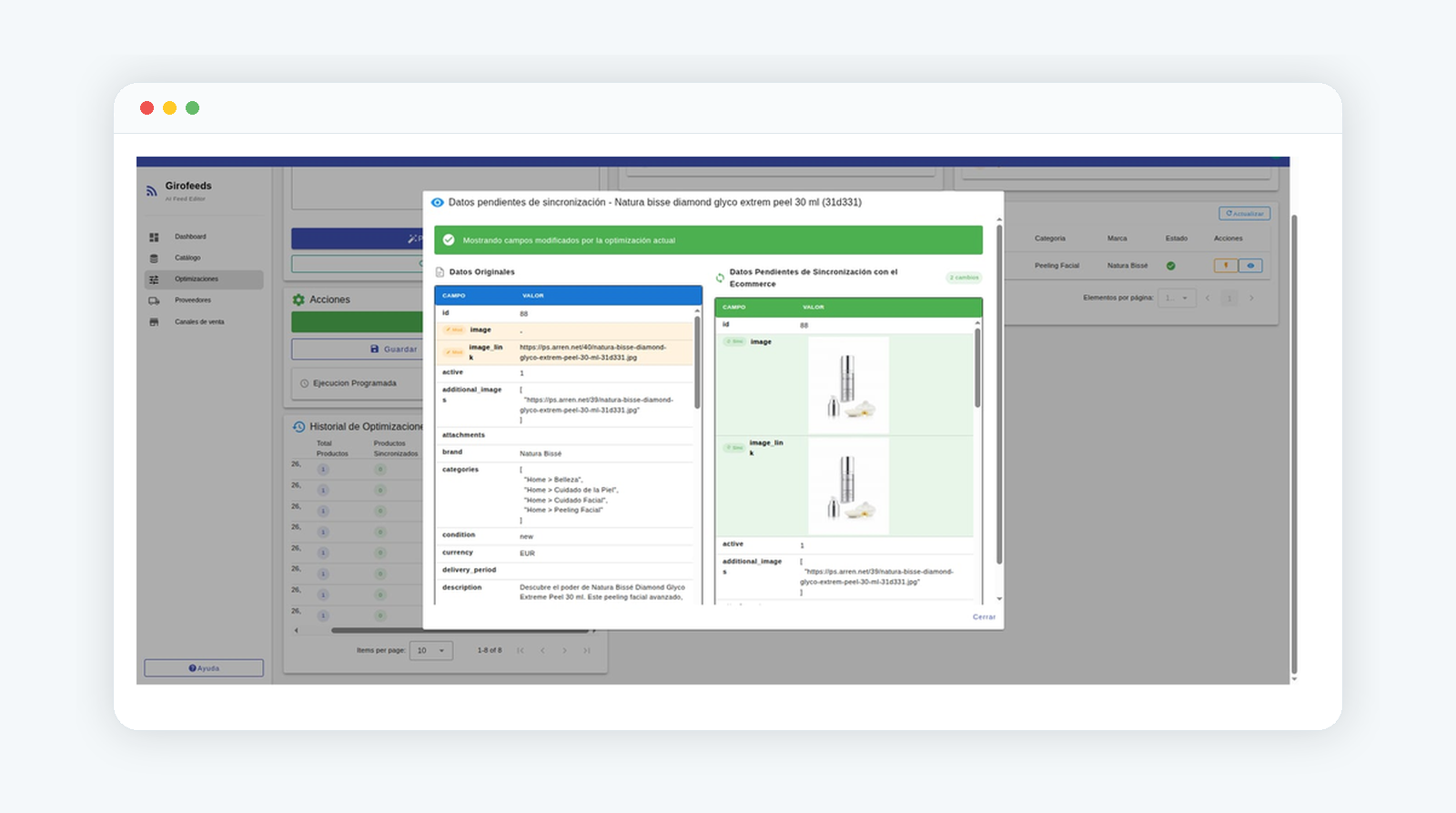
Sync the changes with your store
When the preview is correct, sync the changes so the GPSR information is reflected in your store (PrestaShop, Magento, WooCommerce…) and in your feeds.